Free Omegle alternative – random video chat
Omegle shut down in November 2023. OMG Chat keeps the simple part (tap Start, say hi, tap Next) and adds the tools you'd want today: interest matching, voice-only mode, auto-translated chat and one-tap block & report.
Free · No sign-up needed · Works in your browser and on Android
18+ only. OMG Chat is for adults. Nudity, sexual content, harassment and anything involving minors are not allowed. You can block or report anyone in one tap. Read the Community Guidelines.
Meet new people, one tap at a time
OMG Chat pairs you with a random person for a face-to-face video chat. Don't click? Tap Next and you're with someone new in seconds. Add interest tags if you'd rather meet people who like the same things.
It runs in your browser at omgvchat.com (no download) and as an Android app. There's nothing to install on desktop, and you can start as a guest without signing up.
Features
Interest tags
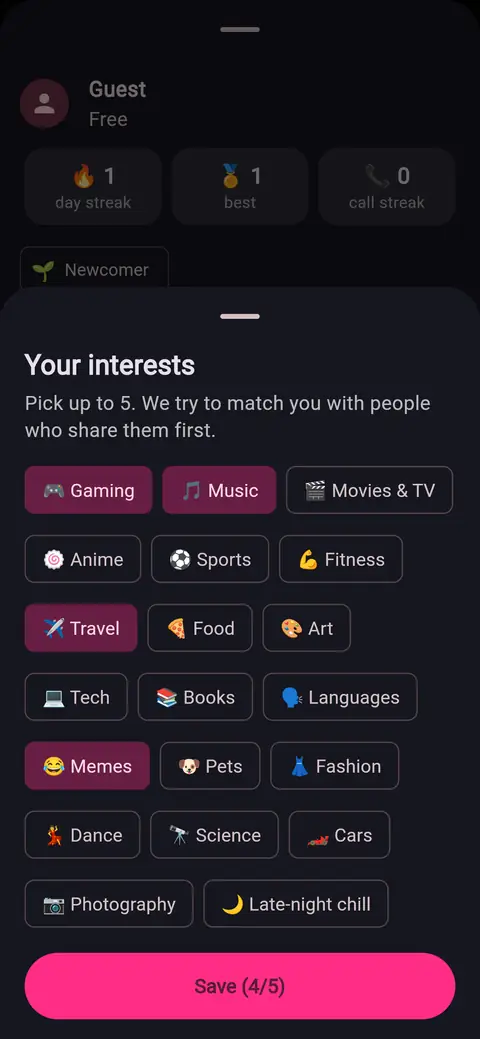
Pick up to 5 interests (gaming, music, travel, anime…). We try people who share them first, then anyone after a few seconds.
Voice-only mode
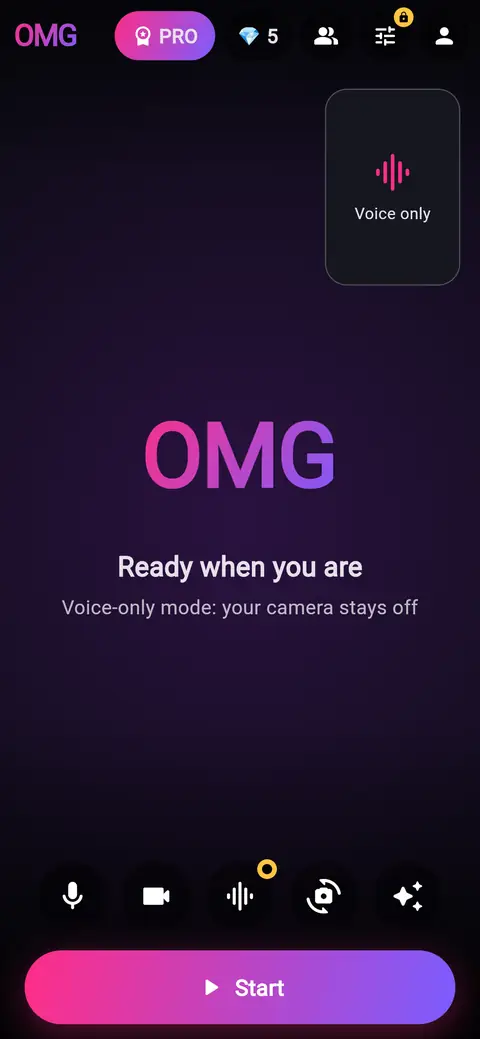
Not in the mood for camera? Turn video off and talk with voice only; voice-only users are matched with each other first.
Text chat with auto-translate
Type during the call. Messages are translated into your language automatically, so you can talk to people anywhere.
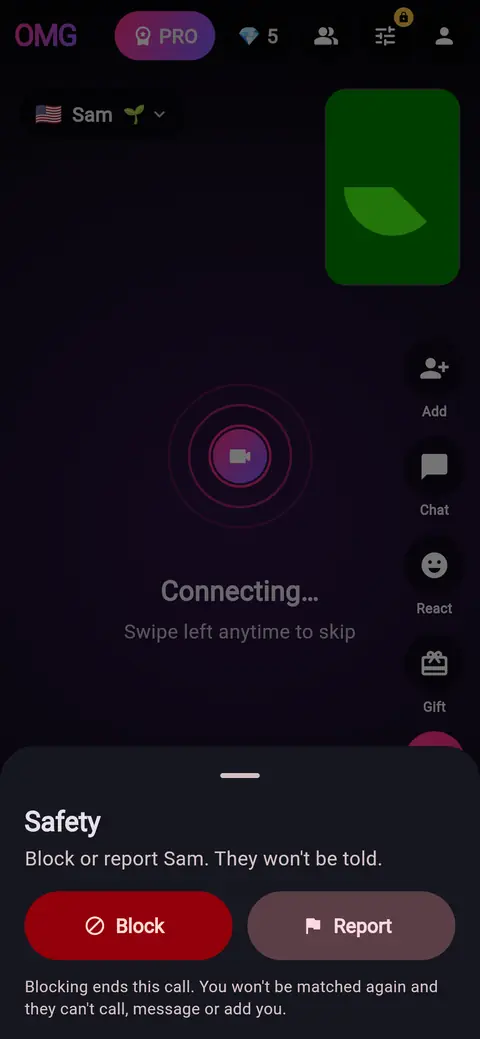
Block & report in one tap
Tap the shield to block or report. Blocked people can never be matched with you again, call you or message you.
Camera switching
Flip between front and back cameras, or choose any connected webcam on desktop.
Free to use
Random video chat is free, with no sign-up needed (guest mode). Optional Premium adds match filters and removes ads.
Screenshots
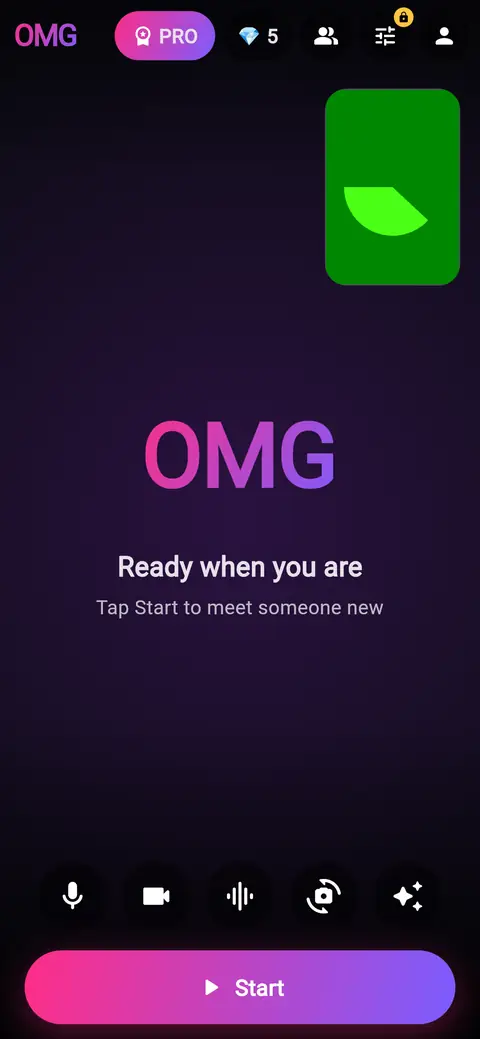
Get started in 3 steps
- Open omgvchat.com or the Android app and confirm you're 18+.
- Continue as a guest (or sign in), pick your country and, if you like, up to 5 interests.
- Tap Start. Say hi, or tap Next to meet someone else.
Safety and privacy
Block & report
Blocked people can't be matched with you, call you, message you or send friend requests. They aren't told. Reports are reviewed and serious offenders are banned.
No recordings
Calls go directly between devices and are encrypted. We don't record or store your video or audio.
Your choice of camera
Turn your camera off any time, or use voice-only mode. Only share what you're comfortable with.
More detail in our Privacy Policy and Terms.
FAQ
Is OMG Chat affiliated with Omegle?
No. OMG Chat is an independent app and has no connection to Omegle or its former operators. “Omegle” is used here only to describe what kind of app OMG Chat is.
Did Omegle shut down?
Yes. Omegle closed in November 2023. OMG Chat is one of the apps you can use for random video chat instead.
Is OMG Chat free?
Yes. Random video chat, voice-only mode, interest tags, text chat and blocking are free. OMG Premium (€9.99/month, or the local price on Google Play) is optional and adds gender and country filters and removes ads. Gems for gifts and reaction packs are optional purchases too.
Do I need an account?
No. You can continue as a guest. Sign in with Google or email if you want to keep Premium and your friends across devices.
Is there an Android app?
Yes, OMG Chat is on Google Play. It also works in the browser at omgvchat.com on phones and computers (allow camera and microphone).
Who can use OMG Chat?
Adults only: you must be 18 or older. Nudity, sexual content, harassment and anything involving minors are not allowed and lead to bans.
How do I block or report someone?
During a call, tap the shield button (or the person's name) and choose Block or Report. You can also block from your friends list, friend requests, recent matches or a chat. Manage blocks in Settings → Blocked users.
Are calls recorded?
No. Video and audio go directly between the two devices (peer-to-peer, encrypted) and we don't record or store them. Because the connection is direct, the other person's device can see your IP address; use a VPN if you prefer to hide it.